


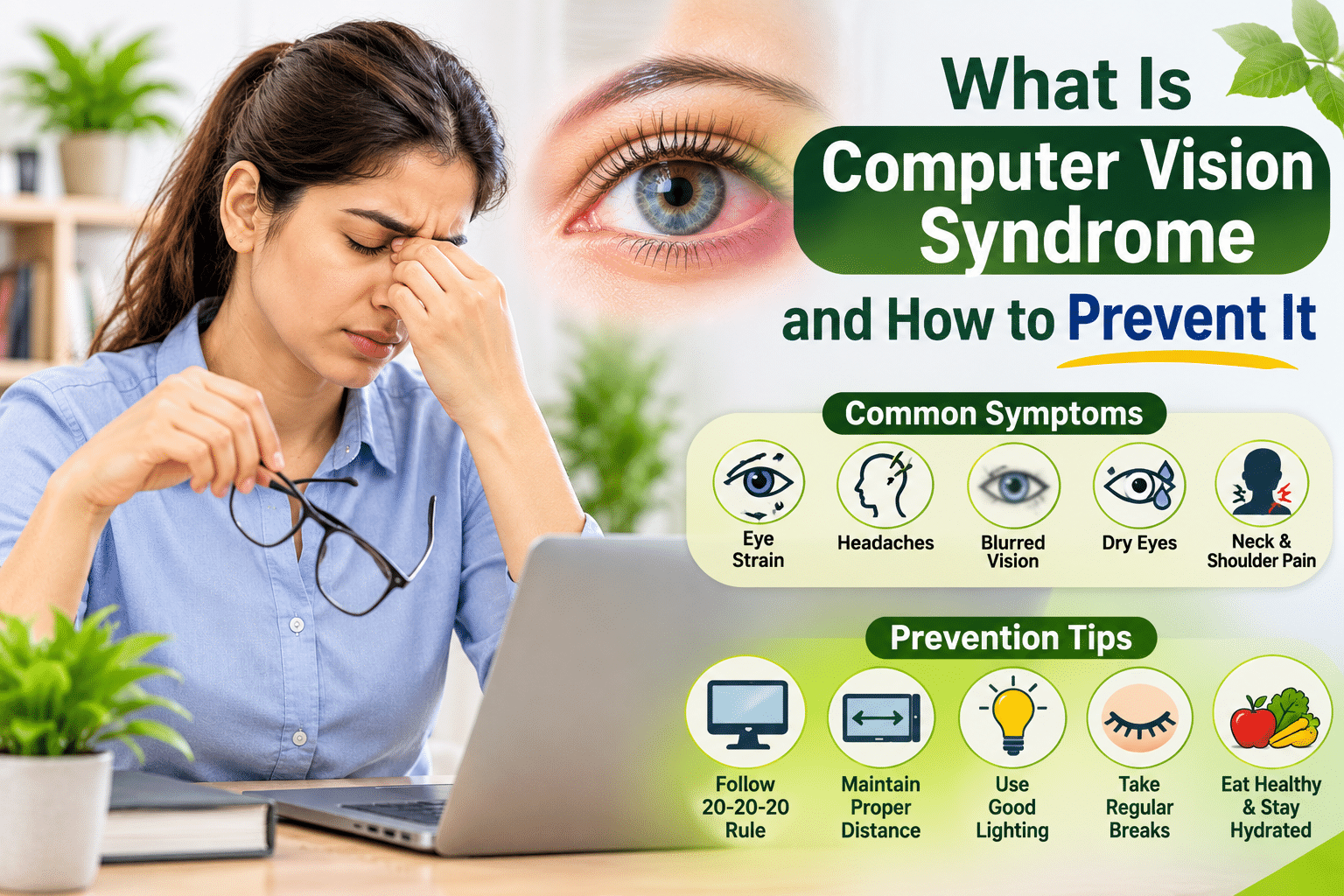
Computer Vision Syndrome (CVS), also called Digital Eye Strain, has become one of the defining eye health issues of our time. With work, entertainment, and communication all funneled through screens, understanding this condition, and how to prevent it, matters more than ever.
What Is Computer Vision Syndrome?
Computer Vision Syndrome is a group of eye and vision-related problems that result from prolonged computer, tablet, e-reader, and smartphone use. It’s not a single condition but a cluster of symptoms caused by the unique visual demands of screen viewing, different from reading a printed page or looking at objects at varying distances throughout the day.
Common Symptoms of Computer Vision Syndrome
- Eye strain and fatigue
- Headaches, particularly around the temples and forehead
- Blurred vision, especially after extended screen sessions
- Dry, irritated, or burning eyes
- Neck and shoulder pain from poor screen positioning
- Difficulty refocusing between near and far distances
- Increased sensitivity to light
Why Screens Cause These Problems
Reduced Blink Rate
Normal blink rate drops by nearly 50% during screen use, significantly reducing natural eye lubrication and contributing to dryness.
Fixed Focusing Distance
Unlike natural environments where your eyes constantly shift focus between different distances, screens keep your eyes locked at a single fixed distance for extended periods, causing focusing muscle fatigue.
Screen Glare and Contrast
Poor screen brightness settings, glare from overhead lighting, and low contrast text all force your eyes to work harder to process visual information clearly.
Blue Light Exposure
While research is still evolving, prolonged blue light exposure, particularly in the evening, is associated with both eye strain and disrupted sleep patterns.
Prevention Strategies
1. The 20-20-20 Rule
Every 20 minutes, look at something 20 feet away for 20 seconds. This simple habit gives your focusing muscles regular breaks throughout the day.
2. Optimize Your Screen Setup
Position your screen about an arm’s length away, with the top of the screen at or slightly below eye level. This reduces the need to strain your neck or eyes to view content comfortably.
3. Adjust Lighting and Screen Brightness
Match your screen brightness to your surrounding environment, and reduce glare by positioning screens away from direct light sources or windows.
4. Blink Consciously
Since screen use naturally reduces blinking, make a conscious effort to blink fully and regularly, particularly during focused tasks like reading or coding.
5. Use Proper Corrective Lenses
If you have an existing refractive error, ensure your prescription is current and consider computer-specific glasses if you spend extensive hours on screens, as these are optimized for the typical screen viewing distance.
6. Take Regular Breaks
Beyond the 20-20-20 rule, longer breaks (5-10 minutes every hour) that involve stepping away from screens entirely give your eyes and body a more complete rest.
The Ayurvedic Approach to Managing CVS
1. Netra Tarpanam for Deep Nourishment
For people with significant daily screen exposure, periodic Netra Tarpanam sessions help nourish and restore the eye tissues beyond what basic rest and breaks can achieve.
2. Cooling, Pitta-Balancing Practices
Since prolonged screen use aggravates Pitta dosha, incorporating cooling practices like rose water eye washes, a Pitta-balancing diet, and avoiding excessive screen use during already hot times of day can help manage symptoms.
3. Palming and Eye Yoga
Simple exercises like palming, near-far focusing, and conscious blinking, rooted in classical eye care practices, provide immediate relief and long-term resilience against screen-related strain.
4. Evening Wind-Down Routine
Ayurveda emphasizes aligning with natural rhythms, reducing screen exposure in the evening supports both eye recovery and better sleep, which in turn helps eyes recover more fully overnight.
5. Adequate Hydration and Diet
Supporting tear film production through proper hydration and a diet including ghee, leafy greens, and antioxidant-rich foods helps build resilience against the dryness that screens exacerbate.
Setting Up a Sustainable Screen Routine
Rather than viewing screen breaks as an interruption to productivity, think of them as maintenance for a tool you use for hours every day. A few minutes of intentional breaks, proper setup, and periodic Ayurvedic care can meaningfully reduce the cumulative toll of daily screen use.
When to See a Specialist
If symptoms persist despite implementing these strategies, or if you experience significant blurred vision, persistent headaches, or eye pain, it’s important to get a proper eye examination to rule out an underlying uncorrected refractive error or other condition.
Frequently Asked Questions
Q: Can Computer Vision Syndrome cause permanent eye damage? A: Current research suggests CVS causes temporary discomfort and fatigue rather than permanent structural damage, but chronic, unaddressed strain can meaningfully affect daily quality of life and productivity.
Q: Do blue light glasses actually help with CVS? A: Evidence is mixed. Some people report reduced eye strain and better sleep, while research on blue light’s direct role in CVS symptoms remains inconclusive. They’re generally considered a low-risk option worth trying if you experience significant symptoms.
Q: How much screen time is considered safe per day? A: There’s no universal safe limit, what matters more is how you use screens, taking regular breaks, maintaining proper posture and distance, and ensuring adequate rest, rather than a strict total hours cutoff.
Final Thoughts
Computer Vision Syndrome is largely preventable and manageable through a combination of simple habits, the 20-20-20 rule, proper screen setup, conscious blinking, and supportive Ayurvedic practices like Netra Tarpanam and cooling remedies for cumulative strain relief.
If you’re experiencing persistent symptoms despite these changes, consulting an Ayurvedic eye specialist can help address both the immediate discomfort and any underlying dryness or strain patterns contributing to your CVS symptoms.